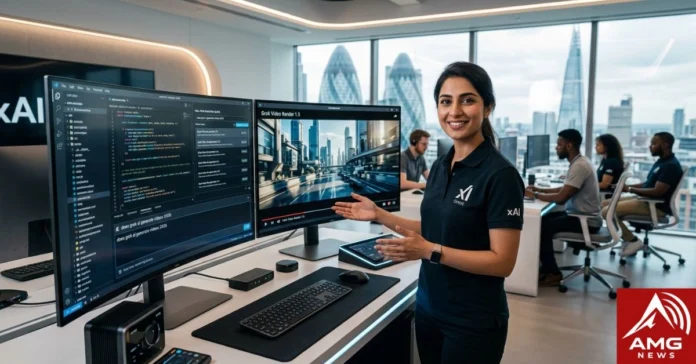

The online world runs on moving images. For social media managers, digital creators, and business owners, finding a tool that converts a text prompt into a high-quality video is a massive advantage. While several platforms have promised seamless video generation, all eyes have recently turned to xAI’s assistant on the X platform.
If you are looking for a clear answer to does grok ai generate videos 2026, the answer is a definitive yes.
Through continuous updates to its core model, Grok has evolved from a text-based conversationalist into a fully-featured multimodal creative suite. Today, we will look at how this system operates, what it can do, what its limits are, and how you can use it to create highly engaging clips.
How the Aurora Engine Powers Grok Video
Grok Imagine runs on xAI’s Aurora architecture, which handles both still images and motion. Aurora focuses on realistic physics, consistent character movement, and tight lip sync when audio kicks in.
The model understands prompts deeply and generates coherent short scenes. It builds on image generation strengths, so you can start with a static Grok image and animate it smoothly.
Updates like Grok Imagine Video 1.5 brought sharper details, better motion, and faster processing. This keeps Grok competitive without promising everything at once.
Core Features of Grok Imagine Video
Grok Imagine Video offers several standout options:
- Text-to-video and image-to-video: Start from a written description or upload an image to animate.
- Audio synchronization: Native sound support with decent lip sync, especially in recent versions. Great for simple dialogues, music, or effects.
- Aspect ratios: Supports popular formats like 9:16 for vertical social videos and 16:9 for wider content.
- Creative modes: Normal for straightforward results, Fun for playful twists, and Spicy for bolder, more creative outputs.
- Resolution and length: Up to 720p for higher-quality generations, with clips typically running 6-10 seconds (sometimes up to 12-15 seconds depending on the prompt and tier).
These features make it handy for quick memes, product teasers, or social posts. The integration with Grok chat means you can refine prompts conversationally.
Step-by-Step Guide on How to Generate Videos Using Grok
Here’s exactly how to create your first video:
- Access Grok: Log into grok.com or the X app with your account. Free users get limited access; paid plans unlock full video tools.
- Start a new chat: Type a prompt like “Generate a video of…” or upload an image and say “animate this.”
- Choose your mode: Add “Normal mode,” “Fun mode,” or “Spicy mode” to guide the style.
- Specify details: Include aspect ratio (e.g., “9:16 vertical”), length hints, and audio needs (“with upbeat music and voiceover”).
- Hit generate: Grok processes it. Wait a few seconds to a minute depending on load.
- Review and iterate: Download the clip or reply with tweaks like “make the movement smoother” or “add rain.”
- Export: Save the MP4 directly or share it on X.
The conversational flow speeds up experimentation. Many users refine in 2-3 tries.
Current Limitations
Grok Imagine Video works well for short bursts but has clear boundaries.
Resolution caps at 720p in most cases, with some fallback to 480p under heavy load. Longer videos aren’t supported yet—expect 6-10 seconds per clip.
Usage limits hit hard on free and basic paid tiers. Heavy video work eats through weekly quotas quickly, especially on the shared pool with chat and images. Moderation policies block sensitive, violent, or copyrighted content, which can feel strict.
Generation speed varies with demand. Peak times slow things down, and complex prompts sometimes produce odd physics glitches.
Pricing & Subscription Plans
Video generation requires a paid plan for meaningful use.
- Free tier: Very limited generations, often capped quickly.
- SuperGrok ($30/month): Unlocks higher limits for images and videos, faster responses, and better quality options. Regional pricing may apply (e.g., lower in some countries).
- Higher tiers: Options like SuperGrok Heavy exist for heavier users, though limits still apply and have tightened over time.
API access offers pay-per-second video pricing for developers. Check your usage dashboard regularly—video burns credits faster than text chats.
Grok vs. Competitors Comparison
Here’s how Grok stacks up against big names in 2026:
| Feature | Grok Imagine Video | OpenAI Sora | Runway Gen-3 | Kling AI |
| Max Resolution | 720p | Up to 1080p+ | 1080p+ | 1080p+ |
| Clip Length | 6-15 seconds | Longer clips | Up to 30+ seconds | 10+ seconds |
| Audio Sync | Native, improving | Limited/added | Good | Strong |
| Image-to-Video | Excellent | Available | Strong | Strong |
| Pricing | $30/mo + limits | Subscription/API | Credit-based | Subscription/API |
| Speed | Fast for short clips | Slower | Variable | Fast |
| Integration | X/Grok chat | ChatGPT | Standalone | Standalone |
| Creative Modes | Normal/Fun/Spicy | Prompt-based | Advanced controls | Styles |
Grok shines in quick, conversational use and X ecosystem integration. Competitors often deliver longer or higher-res clips but cost more or feel less integrated.
Final Thoughts
Grok AI video generation in 2026 delivers solid value for casual creators and X users. The Aurora-powered tool makes fast, audio-synced clips easy, especially if you like chatting with the AI to refine ideas. At $30/month, SuperGrok works for moderate use, but heavy creators may hit walls.
It’s not the most powerful option for professional long-form work yet. For quick social content, memes, or testing ideas, it stands out because of speed and personality. If your needs stay short and fun, it’s worth trying. For bigger projects, blend it with other tools.
FAQs
1. Does Grok AI generate videos in 2026?
Yes. Grok Imagine Video lets you create short clips from text or images with audio support.
2. What resolution and length does Grok video support?
Up to 720p for 6-10 seconds typically, with some flexibility to 15 seconds depending on the prompt and plan.
3. Is Grok video generation free?
Basic access exists on free tiers, but practical use requires SuperGrok or higher for decent limits and quality.
4. How does the Grok video compare to Sora?
Grok offers faster, more conversational creation with good audio sync for short clips. Sora often provides higher resolution and longer sequences but feels less integrated for everyday X users.
5. Can I use Grok Imagine video for commercial projects?
Check xAI’s terms. Personal and many social uses work fine, but commercial rights and heavy moderation apply—always review current policies.
For More Information Visit AmgNews.